
LinkedIn Search Import
Import Leads From LinkedIn Search Results
Import leads directly from LinkedIn search results
How to Import from LinkedIn Search
Follow these steps to import leads from LinkedIn search:
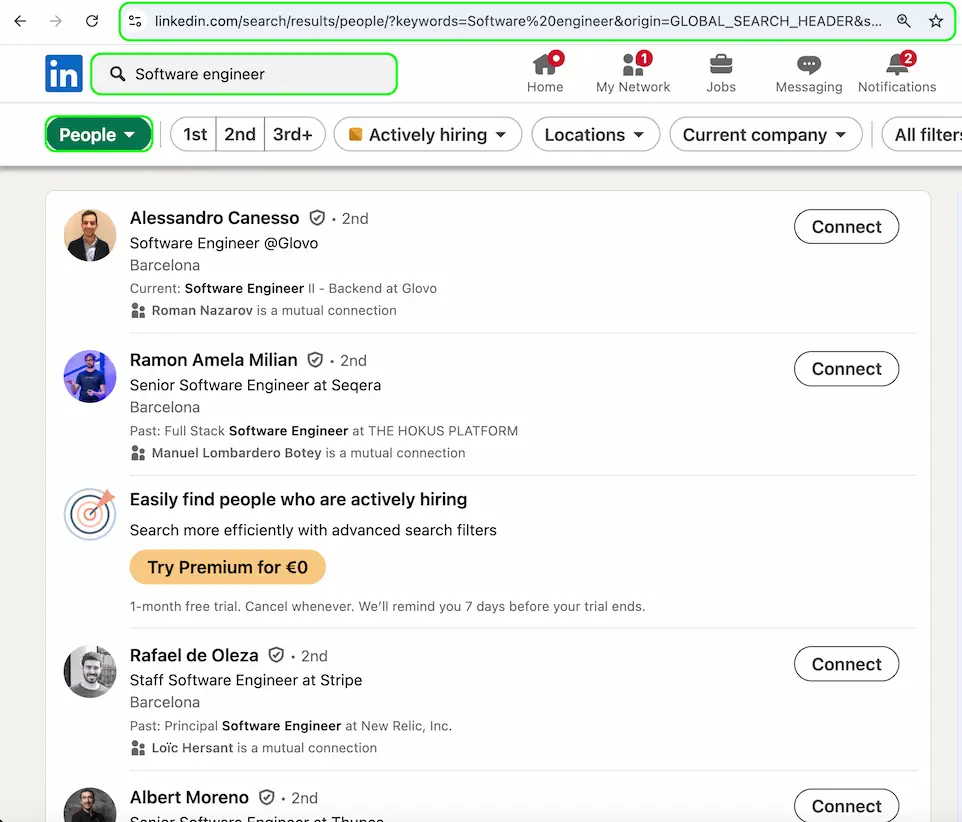
- 1Perform a search on LinkedIn with your desired filters
- 2Copy the search results URL from your browser
- 3Paste the URL into Waalego's LinkedIn Search import interface
- 4Click "Import" and wait for the leads to be processed
Search Optimization Tips
Effective Search Filters:
- Use specific job titles and roles
- Filter by company size and industry
- Target specific geographic locations
Common Issues & Solutions
Search Results Not Found
If the search results cannot be found:
- Ensure you're logged into LinkedIn
- Verify the search URL is correct and complete
- Check if the search criteria are valid
Limited Results
If you're getting limited results:
- Try broadening your search criteria
- Remove some filters to get more results
- Ensure your search terms are not too specific
Best Practices
- Use Boolean operators for complex searches (AND, OR, NOT)
- Save successful search combinations for future use
- Regularly update your search criteria based on results
Have Questions?
Check out our comprehensive FAQ section for more detailed information about importing leads from LinkedIn search.
View FAQ