

Introduction
LinkedIn doesn't publish its connection request limits. They publish a vague "please slow down" message and let the actual numbers stay folklore. The result: founders, SDRs, and lead-gen agencies end up guessing how many invites they can send before LinkedIn restricts the account, and most of them guess wrong in the same direction (too many, too fast, account jail). This is the definitive 2026 reference: the real numbers, the behavioral signals that raise or lower your personal cap, what happens when you hit the wall, and how serious outreach teams send more volume without burning the profile underneath.
If you're running outreach at any kind of scale, the limit isn't the bottleneck you think it is. The accounts that hit ~100 invites per week comfortably are the same accounts that have spent two months warming up properly, maintain a 30%+ acceptance rate, and operate on humanized pacing instead of bursts. The accounts that get restricted at 40/week are the ones running cold lists through stale automation without warm-up. This article walks through both sides of that divide.
For the broader picture of which LinkedIn automation tools handle the pacing for you in 2026, see our 19 Best LinkedIn Automation Tools in 2026 comparison. For now, this is the definitive 2026 reference on LinkedIn connection request limits.
Run LinkedIn outreach without burning the account.
Humanized pacing and AI personalization, default-on with Walego.
What LinkedIn's connection request limits actually are in 2026
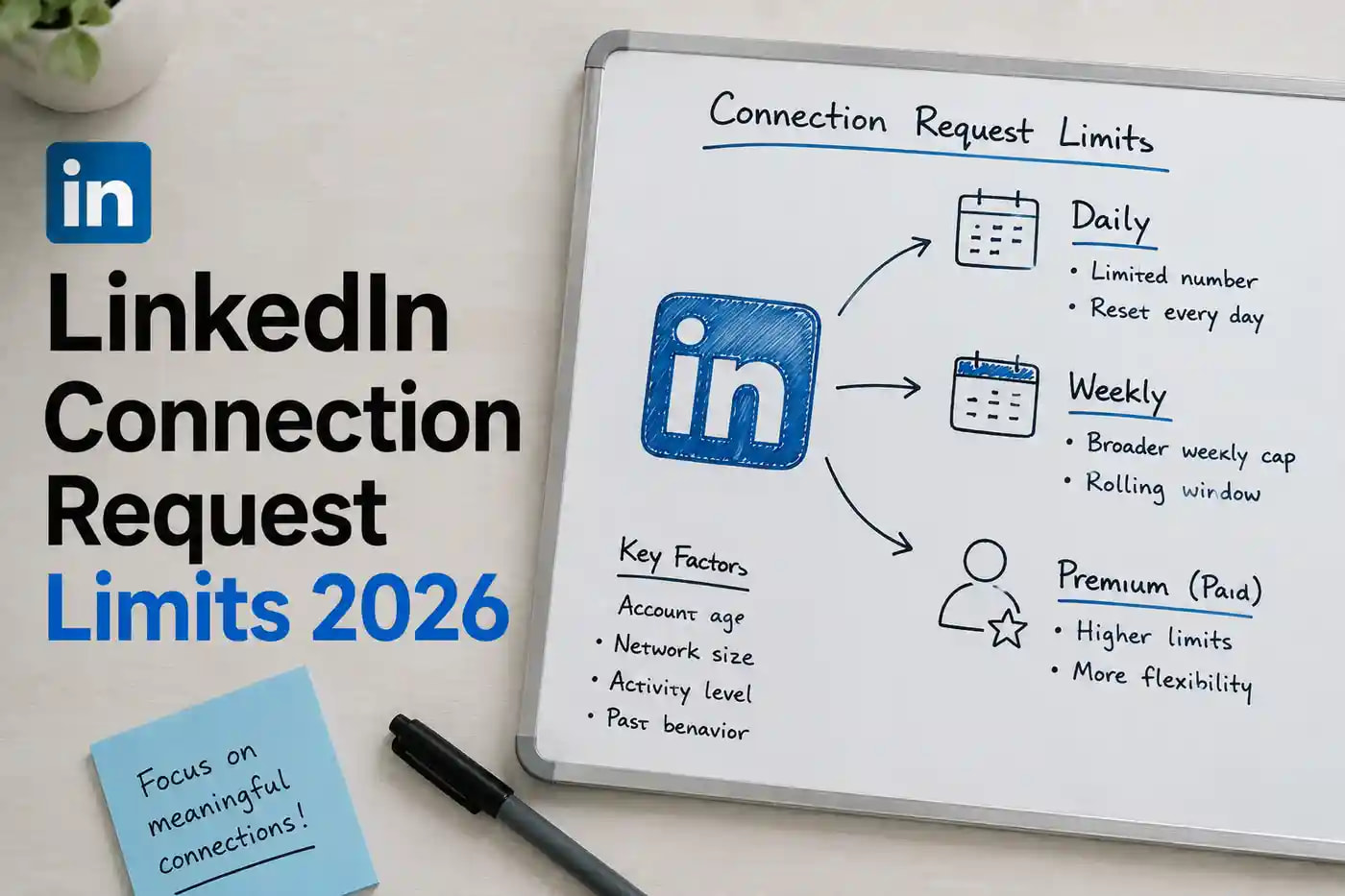
LinkedIn enforces a soft weekly cap of approximately 100 connection requests for most accounts. The cap operates on a rolling 7-day window (not a calendar week), and it applies almost universally across free, Premium, and Sales Navigator tiers. The exact number is not officially published, doesn't live in any LinkedIn settings page, and varies per account based on signals the platform tracks in the background. The ~100/week ceiling is the median; individual accounts land anywhere from 50/week to 200+/week depending on their behavioral profile.
There's no separately published daily cap. Daily limits emerge from the weekly cap plus your account's personal pacing tolerance. An account that's allowed 100/week can usually do 14-15/day spread evenly, or 25-30/day with pauses (LinkedIn watches for human-like variance). Sending 50 invites in one sitting at any tier is a fast track to a warning regardless of where you sit weekly. For B2B sales teams pushing past 100 invites a week safely, our LinkedIn outreach for sales teams page walks through the multi-account orchestration setup.
Caps by account tier (free, Premium, Sales Navigator, Recruiter)
The honest answer most LinkedIn outreach guides get wrong: paying for Premium or Sales Navigator does not raise your connection request cap meaningfully. Recruiter accounts are the only meaningful exception, and the pricing is recruiter-grade. Here are the 2026 numbers side by side.
| Tier | Weekly invites | InMail credits | Price/mo |
|---|---|---|---|
| Free | ~100 (soft cap) | 0 | $0 |
| Premium | ~100 (same) | 5-50 | $40-60 |
| Sales Navigator | ~100 (same) | 20-50 | $99-150 |
| Recruiter | Significantly higher | 100+ | $800-1200 |
If you're hitting the cap on Premium or Sales Navigator and considering upgrading for more invites, you're solving the wrong problem. The volume gain from upgrading is roughly zero. The volume gain from operating multiple properly warmed-up accounts is unlimited. Most serious agency operators run 5-50 sender profiles to scale past the per-account cap rather than buying premium subscriptions.
What actually changes your personal connection request cap
LinkedIn doesn't share the formula, but enough patterns hold across thousands of accounts that we can describe the inputs reliably. Account age matters most: accounts under 3 months get throttled aggressively, accounts 6-12 months old hit closer to the median, and accounts 2+ years old with consistent activity often exceed the median by 20-50%. Acceptance rate is the second biggest lever: accounts at 30%+ accept rates get more room; accounts under 15% get throttled hard. Profile completeness (photo, headline, summary, work history, recommendations) matters more than people expect, because LinkedIn weights complete profiles as trustworthy.
Behavioral signals are the fourth pillar. Logging in from one consistent location, browsing the feed daily, posting or commenting occasionally, and accepting incoming invites all signal a human account. Withdrawal ratio is the fifth: accounts that aggressively withdraw unanswered invites to refill the cap get downgraded in LinkedIn's eyes. The optimal cadence is to withdraw after 14-21 days, not after 3-5.
What happens when you hit the limit
The progression is consistent: warning, then invite block, then temporary restriction, then permanent. Avoiding the worst outcome is overwhelmingly a matter of staying out of stage 1.
| Stage | What LinkedIn does | Duration | Recovery |
|---|---|---|---|
| 1. Warning | "Please slow down" modal, no real penalty | Hours | Reduce volume, fine same day |
| 2. Invite block | New invites blocked, messaging still works | 1-7 days | Pause and wait it out |
| 3. Temp restriction | Read-only mode, no outreach at all | 24-72 hours | Wait + open a support ticket |
| 4. Permanent | Account suspended or banned | Indefinite | Support ticket + ID verification |
Stage 1 is the universal signal that something needs to change in your sending pattern. Most accounts hit it once a month and recover fine. Stage 4 is the cliff. Accounts that fall off it were almost always running stale automation (no warm-up, generic templates, shared IPs, bot-detected behavior) for weeks before the hammer dropped.
Run high-volume LinkedIn outreach without burning the account.
Walego handles humanized pacing, warm-up, and acceptance-rate optimization so the cap raises itself. Book a 30-minute demo to see it on your own list.
How to send more without burning your account
The honest answer most outreach blogs avoid: you don't actually need more than ~100/week per account. Teams hitting the cap with frustration almost always have low acceptance rates (under 20%) and are using volume to compensate for poor targeting. Fix the targeting and the messaging, the acceptance rate climbs to 30%+, and the same 100 invites produce 2-3x the qualified pipeline. Volume is a downstream lever; quality is the upstream one.
When you genuinely need more volume after fixing acceptance rate, the answer is multi-account orchestration: 3, 5, or 10 properly warmed-up sender profiles running coordinated campaigns under one workspace. This is the model serious LinkedIn outreach agencies use to scale to thousands of weekly invites without any single account ever approaching its cap. The trade-off is operational: each account needs its own warm-up curve, its own behavioral pattern, and ideally its own real sender behind it.
The five practical levers, in order:
1. Improve acceptance rate first. Tighter ICP, smaller batches, real personalization. Aim for 30%+ before pushing volume. 2. Warm up the account properly. New accounts: 5-10 invites/day for the first 2-3 weeks while you build profile completeness and post some content. Established accounts after a quiet period: ramp back up gradually rather than restarting at full volume. 3. Humanize the pacing. No bursts of 30 invites in 10 minutes. Spread across the workday with realistic variance.
4. Withdraw stale invites at 14-21 days. Frees cap space without triggering the withdrawal-ratio penalty. 5. Use AI personalization at scale. Per-prospect openers vs templated "Hey {first_name}" messaging is the difference between 15% acceptance and 35%. The math compounds: better acceptance → better personal cap → more volume → more pipeline.
How tools handle the limits for you
Modern LinkedIn outreach platforms automate most of the cap-management workflow. The good ones (Walego is what we build) run humanized pacing patterns, monitor your account's acceptance signals in real time, throttle automatically when warning signals appear, and orchestrate multi-account campaigns across many sender profiles under one workspace. The bad ones run fixed daily ceilings (the "15-20 invites per day" rule from 2022 that's no longer accurate) and let your account take the hit when LinkedIn flags it.
The specific Walego mechanics: AI generates a personalized opener per prospect (lifts acceptance rate from ~15% baseline to a 31.1% average across customer campaigns, which raises your personal cap over time), the sending engine paces invites with randomized timing matched to account age, multi-account workspaces let agencies and teams run 5-50 profiles under one inbox, and the AI reply-qualification layer means you spend time only on prospects who actually fit your ICP. For the full list of alternatives, the automation tools comparison breaks down all 19 worth considering, and the agency vs DIY framework covers the build-vs-buy decision.
See the cap-management layer on your own list.
A 30-minute demo shows you what humanized pacing, AI personalization, and multi-account orchestration look like inside Walego.
Frequently asked questions
What is the LinkedIn connection request limit in 2026?
LinkedIn enforces a soft weekly cap of around 100 connection requests for most accounts, with daily limits varying from 5 to 100+ depending on account age, warm-up status, and behavioral signals. The weekly cap has been LinkedIn's default since 2021 and applies to free, Premium, and most Sales Navigator accounts equally. Newer accounts and those with low acceptance rates get throttled to lower daily ceilings.
How many LinkedIn connection requests can I send per day?
Realistic daily limits in 2026: brand-new accounts should start at 5-10 per day, warmed-up accounts (3-6 months old, healthy acceptance rate) can safely send 20-30 per day, and aged accounts with strong signals can sustain 40+ per day. None of these are official LinkedIn numbers, the platform doesn't publish daily caps. They emerge from the weekly cap (~100/week) plus your personal behavioral profile.
How many connection requests can I send per week on LinkedIn?
LinkedIn's soft weekly cap is approximately 100 connection requests for most accounts in 2026. It operates on a rolling 7-day window, not a calendar week. The exact number varies by account based on signals like acceptance rate, account age, profile completeness, and prior account history. Premium and Sales Navigator accounts share the same weekly cap as free accounts, the upgrade doesn't unlock more invites.
Do Sales Navigator and Premium have higher connection request limits?
No, not directly. Sales Navigator and LinkedIn Premium are subject to the same ~100/week soft cap as free accounts in 2026. What Premium and Sales Navigator do offer is InMail credits (paid messages to prospects outside your network) and better search filters. For real connection-request volume beyond the cap, the only safe approach is multi-account orchestration with proper account warm-up.
What happens when you hit the LinkedIn connection request limit?
When you approach the weekly cap, LinkedIn shows a warning message asking you to slow down. Push past it and the platform enforces a "you're out of invitations" state that blocks new connection requests for 1-7 days. Repeated hits at higher volumes can escalate to a temporary account restriction (read-only mode for 24-72 hours) or, in severe cases, permanent account restriction. The fix is rarely to bypass the limit; it's to operate well below it consistently.
How can I send more LinkedIn connection requests safely?
Four levers, in order of safety: (1) improve your acceptance rate through better targeting and personalization (LinkedIn rewards accounts with high accept rates by raising their personal cap), (2) warm up the account properly with profile views, comments, and gradual ramp-up before high-volume sending, (3) withdraw stale unanswered invites after 14-21 days to free cap space, and (4) operate across multiple sender accounts under a properly warmed-up multi-account workflow. AI-personalization tools like Walego automate all four.
Does LinkedIn count withdrawn connection requests against the limit?
Once withdrawn, a connection request no longer counts against your active pending invites, which frees space in your weekly cap going forward. However, the request still counts as a behavioral signal LinkedIn tracks (acceptance vs withdrawal ratio), so withdrawing too aggressively can negatively impact your personal cap calculation over time. The standard cadence is to withdraw invites that go unanswered for 14-21 days. For agency-scale operations, see the B2B Lead Generation Agencies guide for how to run this discipline across many sender accounts.
Conclusion
The honest reframe: the LinkedIn connection request limit isn't a ceiling on your outreach, it's a forcing function. The accounts that consistently hit the cap have figured out the boring discipline of warming up properly, targeting tightly, personalizing per prospect, and pacing the workday. The accounts that get restricted skipped those steps and tried to use volume as the substitute. There's a reason serious B2B outreach teams obsess over acceptance rate and personalization, not invites-sent. Once acceptance is high and the message lands, the cap doesn't feel limiting anymore.
If you're running outreach across multiple sender accounts and the cap-management overhead is eating your team's time, that's the exact workflow Walego automates. Pacing, warm-up monitoring, signal-based throttling, multi-account orchestration. Book a demo and we'll show you what it looks like on your own list before you scale further.
Stop guessing the LinkedIn cap. See how Walego manages it for you.
Humanized pacing, AI personalization that lifts acceptance rate (and the cap underneath it), and multi-account orchestration for agencies and teams. Book a 30-minute demo and we'll show you what it looks like running against your own LinkedIn list.
Book a demoRelated reads
More from the Walego blog on LinkedIn outreach and B2B lead gen.
19 Best LinkedIn Automation Tools in 2026
Outreach, prospecting, engagement, and content tools compared. Walego at #1.
Read more
B2B Lead Generation Agencies: 9 LinkedIn Picks
Nine LinkedIn-led agencies worth a real call, plus the in-house alternative.
Read more
LinkedIn Outreach Agency vs DIY
The honest framework for choosing between an agency and running it in-house.
Read more